What Happens If a Designer Builds an App with AI
How I used Figma Make, Claude Code, and Expo to build a gym app without being a developer.

The itch
As designers, we spend our days making things people can look at, but not use. I wanted to know how far AI tools had come, and whether I could go from static Figma screens to a real app on my own phone without a developer. So I tried it with Claude Code, Figma and Figma Make.
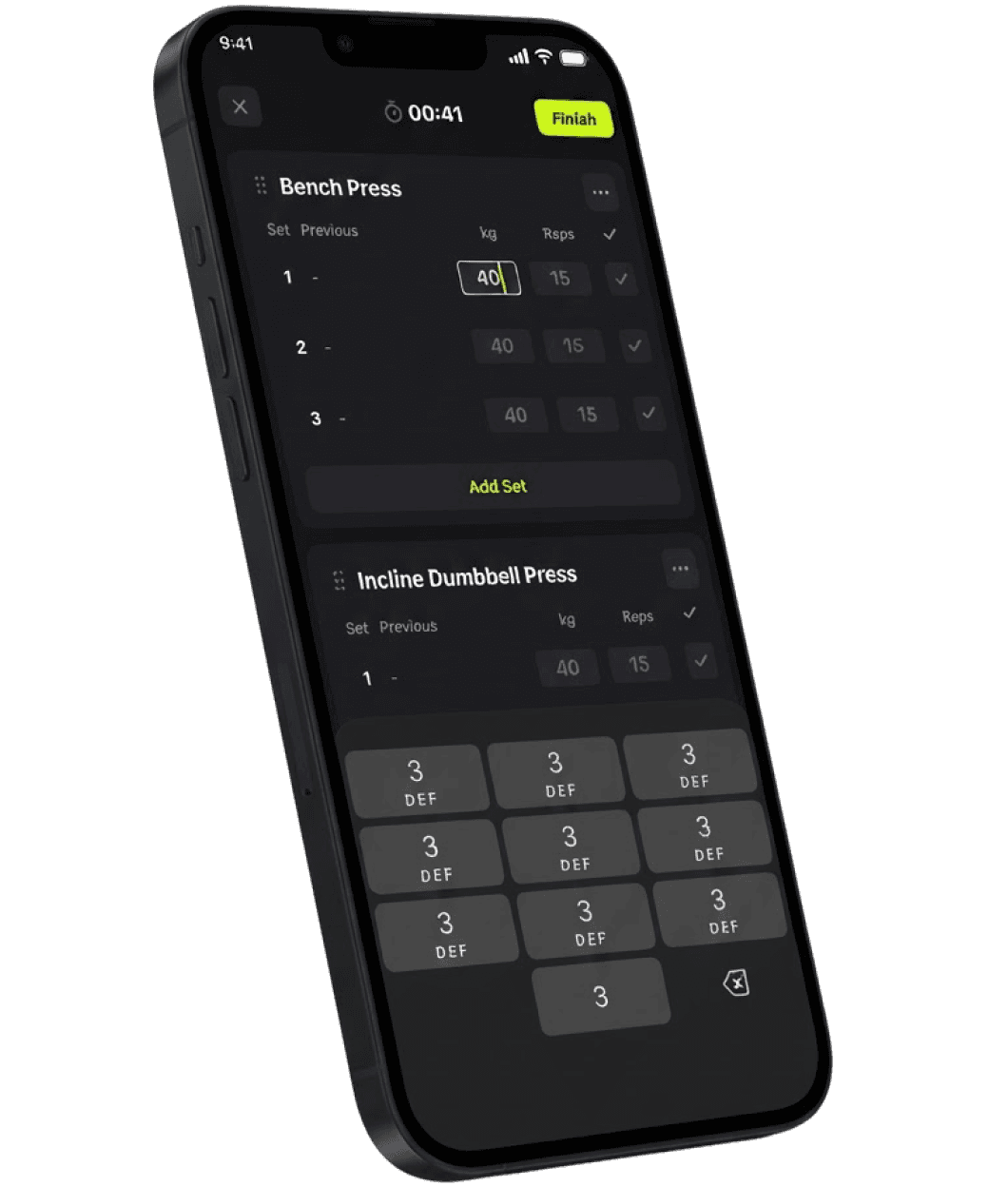
I decided to build a gym app because it’s something I’d genuinely use. I wanted to manage workout routines, track exercises and weights, and review my training history. It was also a good opportunity to experiment with features like muscle focus and weight progression.
Where to start?
Before writing any code, I created a Product Requirements Document (PRD) in Google Docs.
I outlined the app’s core functionality and used it as a source of truth throughout the process. I wanted a clear definition of what I was building before asking AI to implement it.
From there, I deliberately tried to minimize my use of Figma. Instead of designing every screen manually, I wanted to rely on Figma Make to generate layouts and explore different directions through prompts.
Of course, AI doesn’t make every creative decision for you. I still had to decide on the visual direction, including the colors, typography, and details that would give the app its identity.
That balance was interesting: letting AI handle more of the initial exploration while stepping in when the product needed a stronger design decision.

Visual Explorations made by Figma Make

How to go from designs to code?
I connected Figma to Claude Code using MCP, which allowed me to bring my design workflow closer to the implementation process.
I started with simple prompts and gradually worked toward building the app’s functionality. Rather than trying to implement everything at once, I approached it incrementally, testing the results and asking Claude to make changes as I went.
I also connected Claude Code to GitHub so I could commit and push changes to a repository.
One thing I didn’t expect was that I’d occasionally want to edit the code myself. For small adjustments, such as tweaking a shadow or refining a visual detail, I found it useful to open the project in VS Code and make the change directly.
I’m not a developer, so I had to learn as I went. But I discovered that I didn’t necessarily need to understand every line of code to start making meaningful changes. I needed to know what I wanted to achieve, communicate it clearly, and verify the result.
The biggest challenge?
Getting Figma and Claude Code to work together was probably the most challenging part.
I’m comfortable working with design tools, but I’m not particularly tech-savvy when it comes to development. Connecting the tools and understanding how the different pieces fit together required more effort than I initially expected.
I had to learn about MCP, the development environment, and the relationship inside the code.
I also discovered Supabase along the way. I’d never set up a database for an app before, so learning how to store and retrieve information introduced me to an entirely new part of product development.
It was a reminder that building an app involves much more than generating interfaces. There are systems, integrations, and technical decisions behind the scenes that you don’t necessarily encounter when working exclusively in Figma.


Why Expo?
I wanted the app to work on both iOS and Android, so I explored Expo and React Native rather than building exclusively for one platform.
Expo Go made it easy to run the app on my phone and test changes without going through the entire process of building and distributing a native application.
This became particularly useful once I started using the app during actual workouts. Instead of evaluating the experience only through a design file or a desktop preview, I could use it in the environment it was intended for and see what worked in practice.
Learning from testing it in the gym
Testing the app during my workouts has been one of the most valuable parts of the process.
For example, I initially implemented a rest timer that worked as intended, but when I started using it at the gym, I realized it was blocking me from seeing my next exercise.
That might sound like a small usability issue, but it’s exactly the kind of thing that’s easy to miss when you’re designing an interface away from its actual context.
I went back to the app and worked on improving the experience.
It’s a good example of why building something functional is only the beginning. You still need to observe how people use it, identify friction, and make adjustments based on real behavior.

What’s next?
I’m continuing to explore features like muscle focus and weight progression, while refining the core workout experience. The app isn’t in the App Store yet. I’m still testing it, fixing issues, and learning how to make it more useful.
But the biggest takeaway so far is that AI has made it possible for me to explore parts of product development that I would previously have left entirely to engineers.
Feel free to jump into my Figma file and explore on your won.